Enroll an Individual into a Session from TEDS Online Administrator
| Privileges | Description |
| Administrative User | A user will need administrative access to TEDS. This is defined on the Login tab of the individual's person details. |
| View Session | The View Session privilege is a global privilege that is assigned in TEDS Online Administrator. This privilege grants an individual access to view a session in the Session Catalog. |
|
Instructions |
|
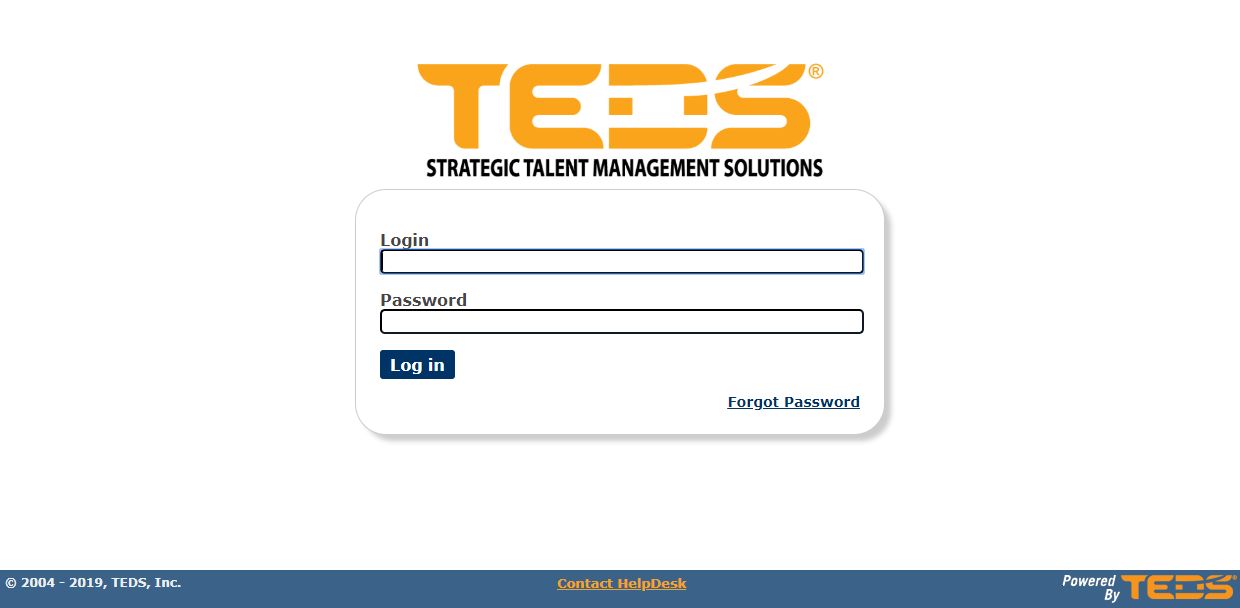
| Log in to TEDS Online Administrator. |
|
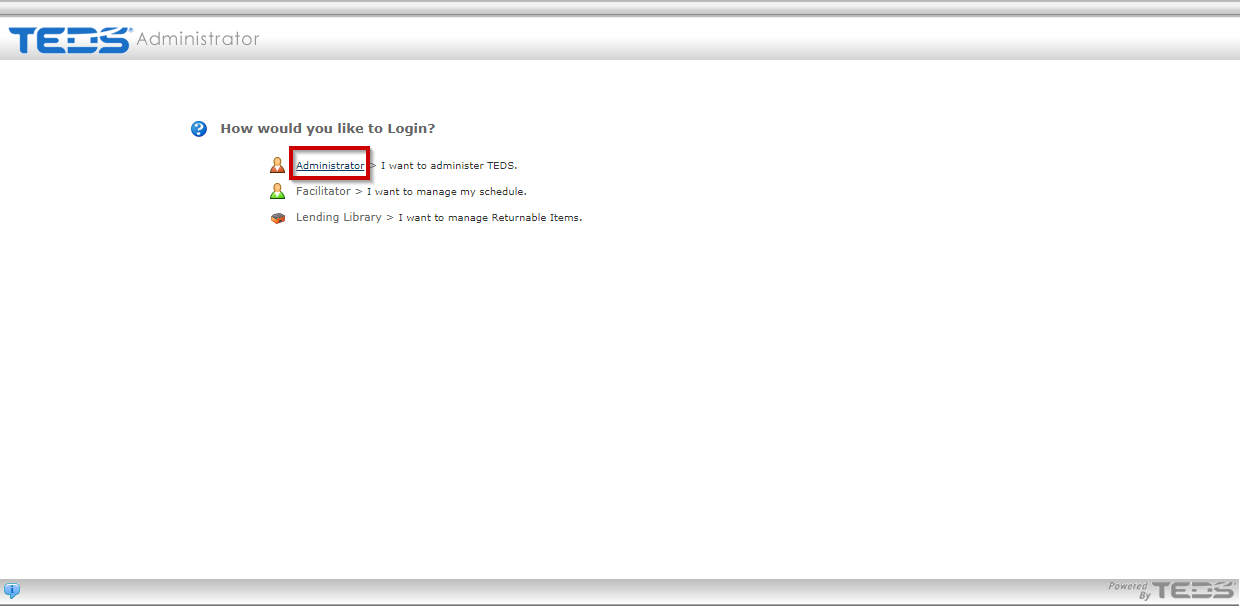
| Access the Administrator option. |
|
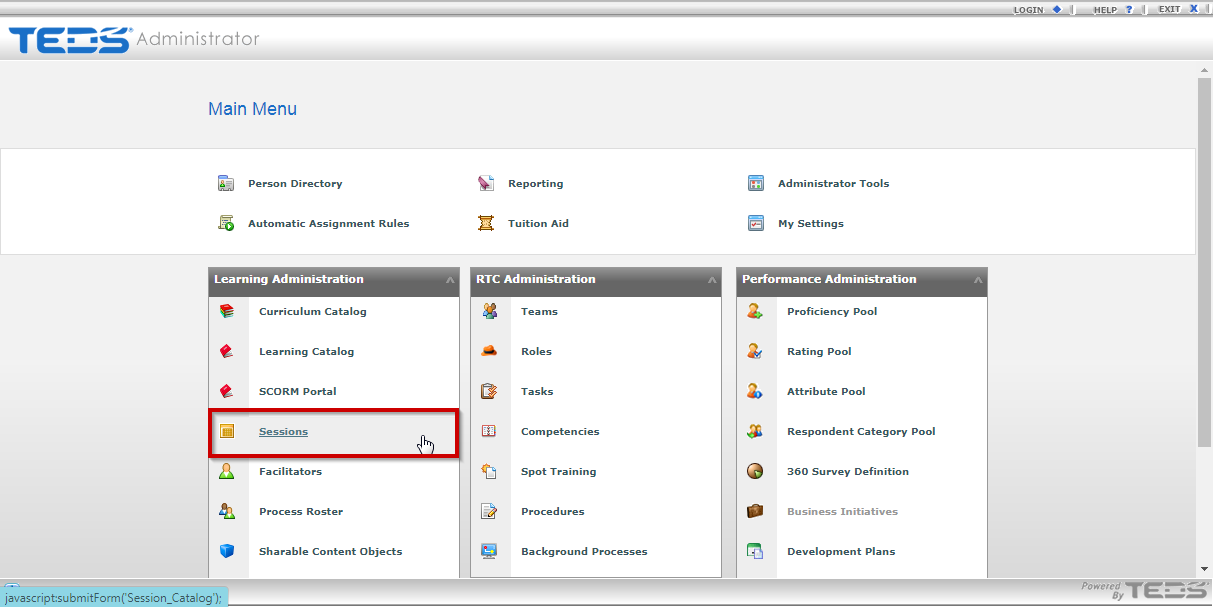
| Select the Session Catalog option. |
|
|
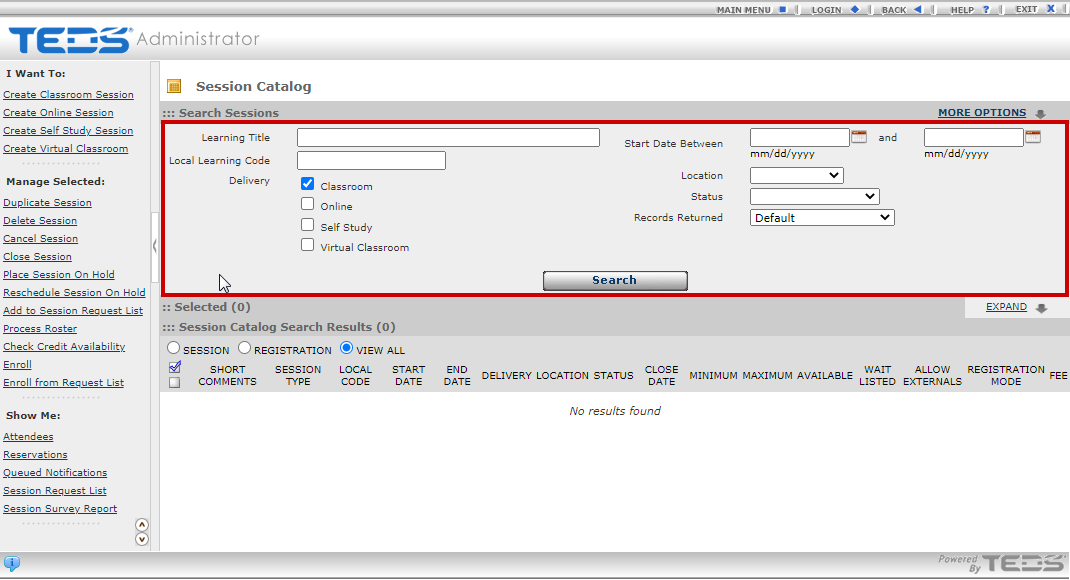
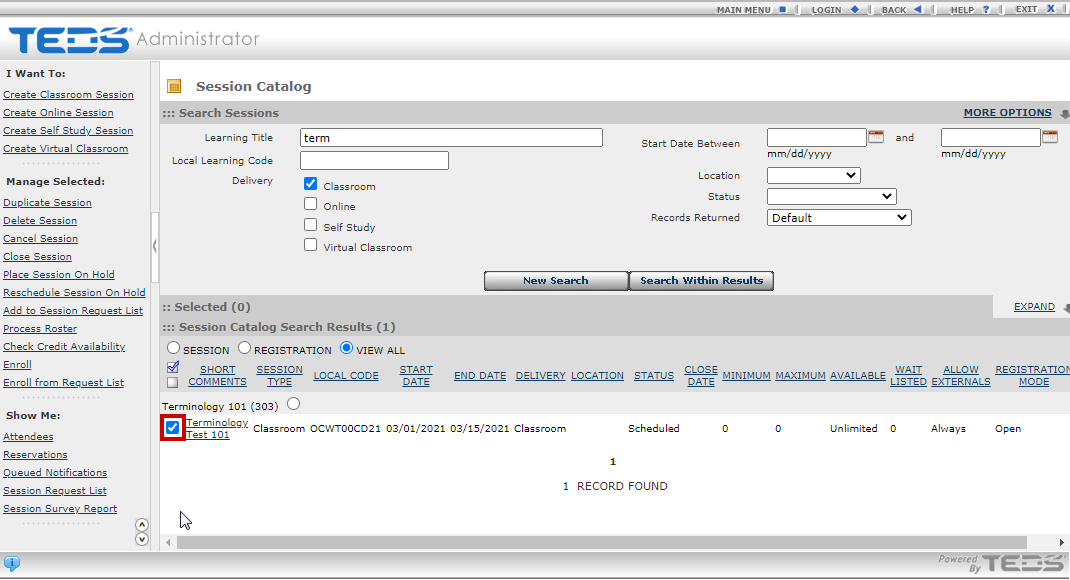
Search for the learning that the session is associated with. |
|
| Select the checkbox to the left of the desired session. |
|
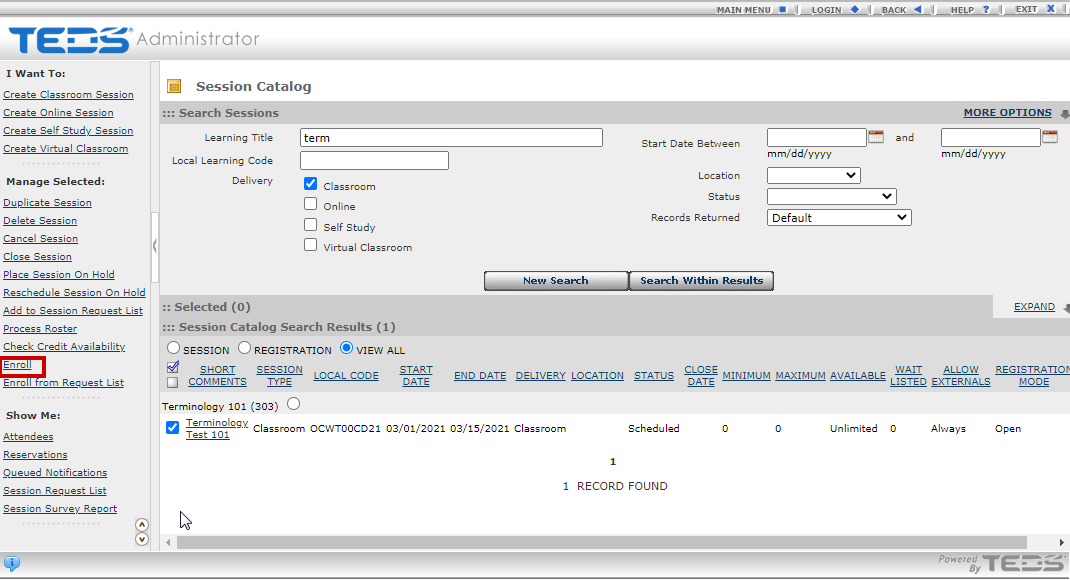
| Select the "Enroll" option from the Manage Selected menu. |
|
|
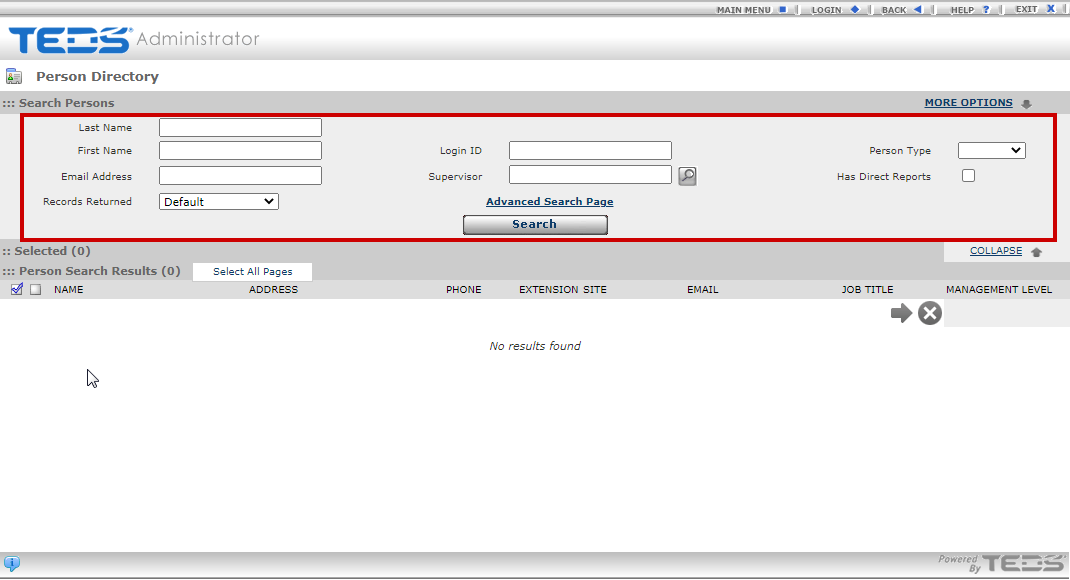
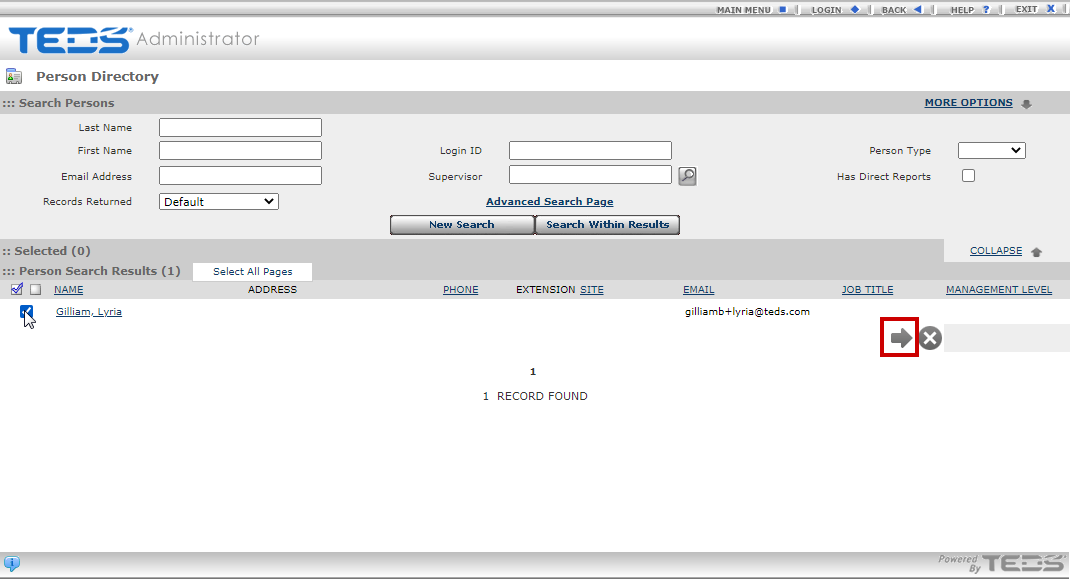
Search for the desired individual(s). |
|
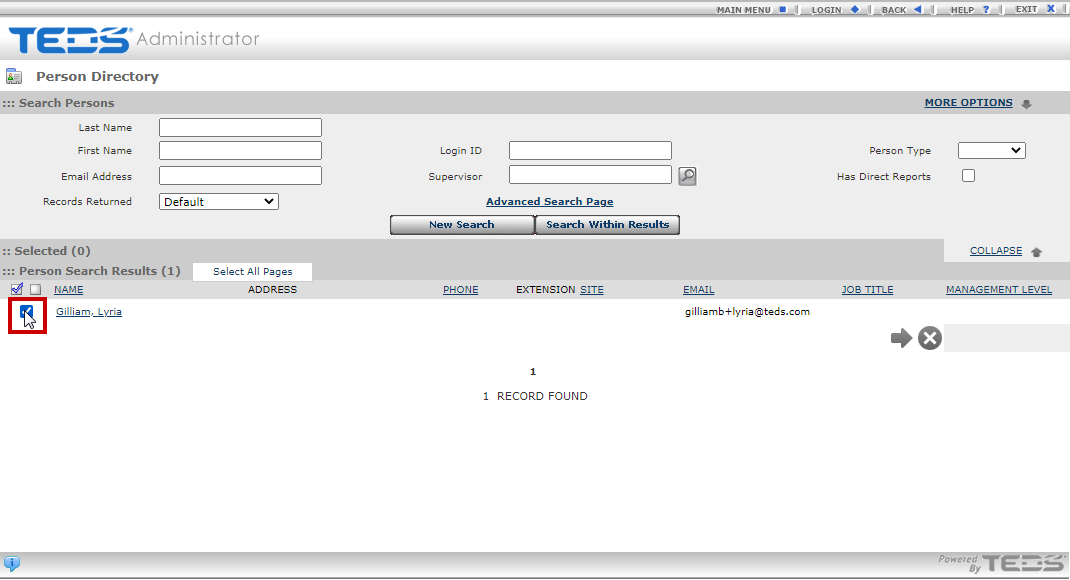
| Select the checkbox to the left of the desired individual(s) name. |
|
| Select the arrow icon. |
|
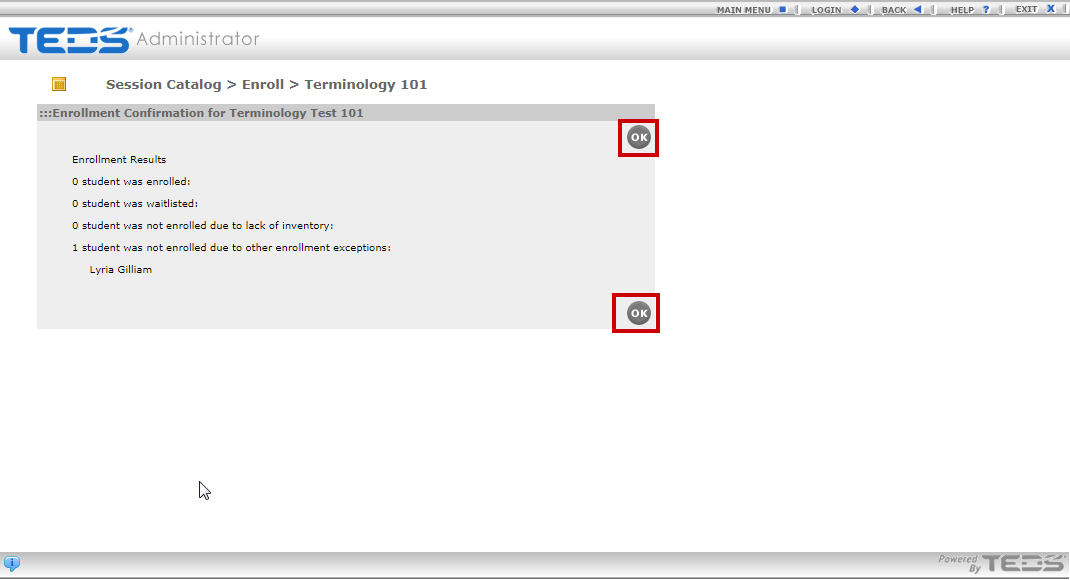
| Select the "OK" button on the confirmation message. |
|
Related Guides